
What AI agent orchestration is, and when you need it
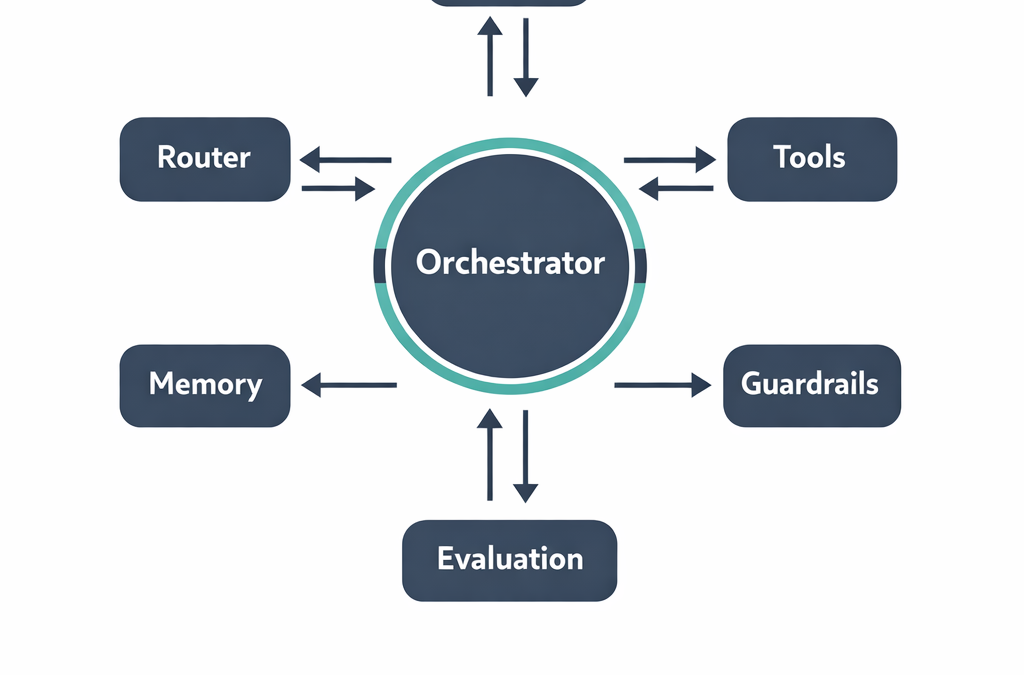
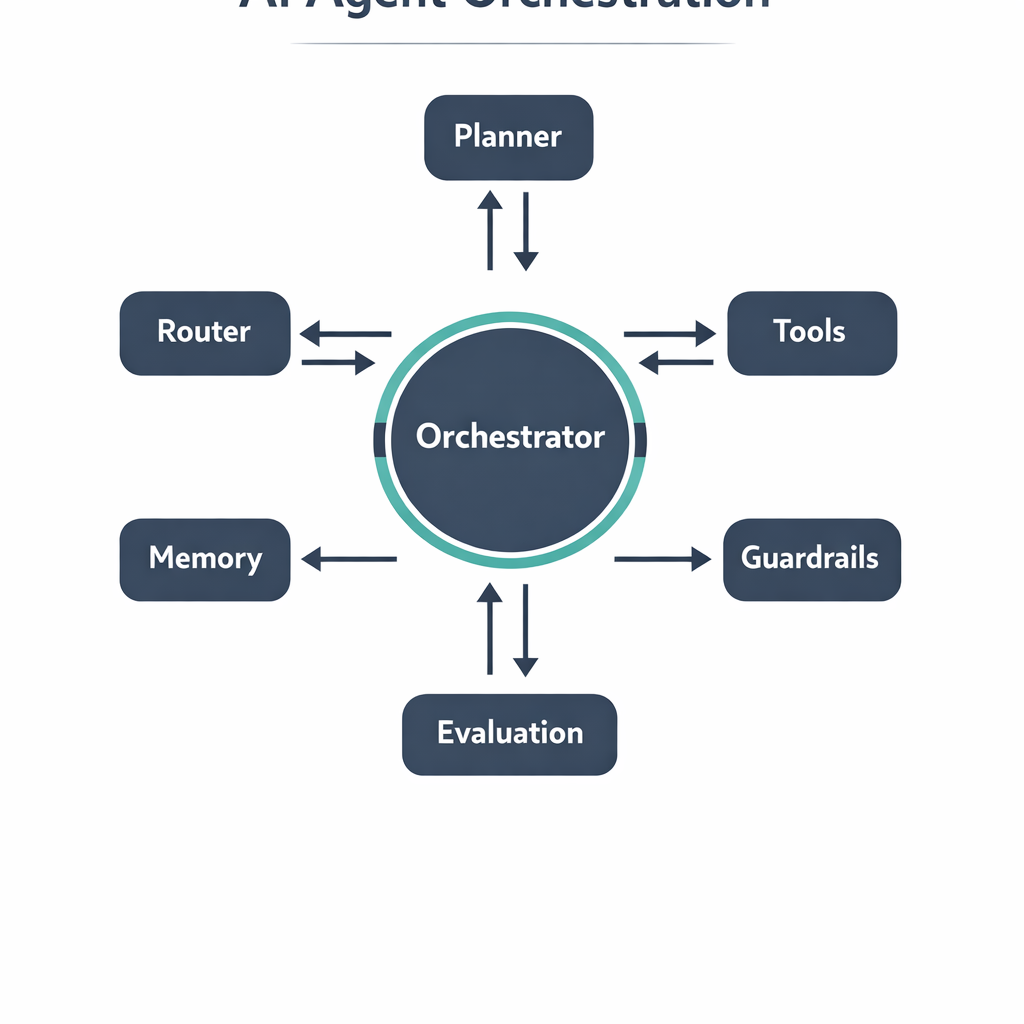
AI agent orchestration is the layer that coordinates multiple AI agents, tools, and data sources so they complete a multi-step task reliably. Instead of one large prompt trying to do everything, an orchestrator plans the work, routes each step to the right agent or tool, passes state between steps, and enforces checks before results reach a user or system. If you are moving beyond a single chatbot toward workflows that touch real systems, this is what separates a demo from something you can run in production.
This guide is for founders, product leaders, and operations teams weighing whether they need orchestration and how to build it without a fragile result. You will learn what an orchestrator does, the core patterns to choose from, how to keep agents governed and observable, and where a simpler approach wins.
Key takeaways
- Orchestration coordinates planning, routing, memory, tool calls, and guardrails so multi-step AI work stays reliable.
- Choose the simplest pattern that fits the task: a fixed workflow, a router, or a fully autonomous planner.
- Governance and observability are not optional; you need evaluation, logging, and human review before production.
- For stable, deterministic steps, conventional automation is often cheaper and more predictable than an agent.
The business problem orchestration solves
Most teams start with a single agent and a long prompt. It works in a demo, then falls apart when the task grows. A support workflow might need to read a ticket, look up an order in the CRM, check a policy document, draft a reply, and decide whether a human should approve it. Cramming all of that into one call produces inconsistent output and no clear place to add a check, and when something breaks you cannot tell which step failed or why.
Orchestration breaks the work into discrete, inspectable steps. Each step has a defined input, output, and owner, whether that owner is an agent, a deterministic function, or a person. This turns an opaque process into one you can measure, debug, and improve, and it lets you scale selectively without rewriting the system. The cost is added engineering, so orchestration earns its place only when the workflow genuinely spans several decisions across changing inputs.
Core orchestration patterns for AI agent orchestration
There is no single correct architecture. Pick the least complex pattern that covers your task, then add capability only when a real limitation forces it. Three patterns cover most business use cases.
Fixed workflows (deterministic pipelines)
A fixed workflow runs steps in a predefined order: extract, enrich, decide, act. The sequence is hard-coded, and the model handles only the steps that need judgment, such as classifying intent or drafting language. This is the most reliable option because the path is predictable and easy to test. Use it when the process is well understood and rarely changes. Document processing, lead routing, and structured data extraction usually fit here, at far less risk than a fully autonomous agent.
Router and specialist agents
A router inspects the incoming request and dispatches it to the specialist agent best suited to handle it, such as a billing, technical support, or research agent. Each specialist has a narrow scope, its own tools, and its own instructions, which keeps prompts focused and behavior easier to evaluate. This pattern shines when you have several distinct task types under one entry point. The main discipline is keeping the router’s logic simple and logged, so you can see why a request went where it did and correct misroutes quickly.
Autonomous planner-executor agents
The most flexible pattern lets an agent plan its own steps, call tools in a loop, and adjust based on results. This suits open-ended tasks where you cannot predefine the path, such as multi-source research or complex troubleshooting. It is also the hardest to control, because the agent can loop, drift, or take unexpected actions. Give it explicit stopping conditions, a bounded set of tools, and strong guardrails. We reserve full autonomy for the parts that truly need it and wrap deterministic structure around everything else.
Governance, memory, and observability
An orchestrator is only as trustworthy as the controls around it. Memory management decides what state carries between steps; keep it explicit and scoped so an agent does not act on stale context. Tool access should follow least privilege: each agent calls only the functions its job requires. Guardrails validate inputs and outputs, catch unsafe actions, and route edge cases to a human. Human-in-the-loop review, where a person approves a step before it executes, is the single most effective safeguard for high-stakes actions like sending money or changing records.
Observability ties it together. Log every step, its inputs, outputs, and cost, then run evaluation, which is systematic testing of quality against known cases, before and after each change. Without this, you cannot tell whether a new model or prompt improved the system or quietly degraded it. Treat evaluation and monitoring as first-class parts of the build, not an afterthought once the workflow is live.
Example: an illustrative order-support workflow
Consider an illustrative business-to-business retailer whose support team spends hours triaging repetitive order questions. The orchestrated design uses a router to classify each message, a retrieval step that pulls order data from the CRM and policy from a knowledge base, a drafting agent that writes the reply, and a guardrail that flags refunds above a threshold for human approval. The success metric is the share of tickets resolved without manual editing, tracked weekly.
The human owner here is a support lead who reviews flagged cases and spot-checks a sample of automated replies. This is an illustrative scenario, not a reported client result. The point is the shape: narrow agents, deterministic retrieval, an explicit approval gate, and a measurable outcome. That structure lets a team start small, prove value on one ticket type, and expand with confidence rather than launching a broad autonomous system and hoping it behaves.
Risks, trade-offs, and when a simpler approach wins
Orchestration adds moving parts, and every part is a place to fail. More agents mean higher token cost, more latency, and more surface area to monitor, and multi-agent systems can amplify errors when one bad step feeds the next. Integration effort is real: connecting to a CRM, respecting rate limits, and handling partial failures takes discipline. If your task is a single, stable, deterministic step, a rules-based script will usually be cheaper, faster, and easier to trust. Reach for orchestration when the workflow needs judgment across several changing inputs, and keep the autonomous portion as small as the task allows.
My Insights
The teams that succeed with AI agent orchestration treat it as an engineering problem, not a prompting one. The systems that reach production share a pattern: a thin deterministic backbone with narrow agents plugged into specific steps, not a swarm of autonomous agents talking freely. Autonomy is powerful and expensive to control, so spend it deliberately and wrap structure around everything else. That single decision prevents most of the reliability problems behind stalled projects.
The second lesson is to build the evaluation harness before you scale. If you cannot measure whether a change helped, you are guessing, and guessing does not survive production traffic. Start with one workflow, define the metric that matters to the business, instrument every step, then broaden scope. Guardrails and human review are not a tax on speed; they are what lets you ship faster, because you can trust the system enough to expand it.
Frequently Asked Questions
What is the difference between an AI agent and AI agent orchestration?
A single AI agent handles one task using a model and, often, a few tools. AI agent orchestration is the coordinating layer that runs multiple agents and tools in sequence or in parallel, managing state, routing, and checks. You need orchestration once a task spans several steps or decisions that one agent cannot handle reliably on its own.
When should I use orchestration instead of simple automation?
Use orchestration when the workflow requires judgment across changing, unstructured inputs, such as interpreting messages or synthesizing sources. For stable, rule-based steps with predictable inputs, conventional automation is usually more reliable and less expensive. Many strong systems combine both: deterministic automation for the fixed parts and agents only where genuine judgment is needed.
How do I keep orchestrated agents safe in production?
Apply least-privilege tool access, validate inputs and outputs with guardrails, and require human approval for high-stakes actions. Log every step and run evaluation against known cases before and after changes. These controls let you catch failures early and expand scope only once the system has proven it behaves as expected.
How many agents does an orchestrated system need?
Fewer than most teams assume. Each agent adds cost, latency, and monitoring overhead, so start with the minimum that covers your steps and add specialists only when a real limitation forces it. A router with two or three narrow agents plus deterministic steps handles a surprising range of business workflows.
Ready to orchestrate AI agents you can run in production?
Request a service consultation — we will map your requirements, recommend an orchestration approach, and outline a pilot you can ship in weeks.